BACKGROUND
In parallel to the work on developing my style, I work on my memory to help develop my narrative such as remembering and researching stories from my childhood. Work in this area often stems from triggers – it could be encounters that remind me of something from the past or thoughts that suddenly come to me. This blog captures a piece of work that I have done as a result of seeing an Instagram post by my brother. He was holding a cup of tea and seeing his hand reminded me of our time together as children. Sadly, we haven’t see each other for many years as we live in different countries. Despite that, I remember clearly the details of his slim artist’s hand, the shape of his finger nails etc.. Seeing his post brought back many memories.
Another purpose for this piece was to experiment with digital drawing tools. During a recent discussion with my fellow MA students, they were discussing the pros and cons of Procreate vs Adobe Photoshop. I have tried Procreate in a limited way some time ago and the discussion ignited my interest to try those tools again.
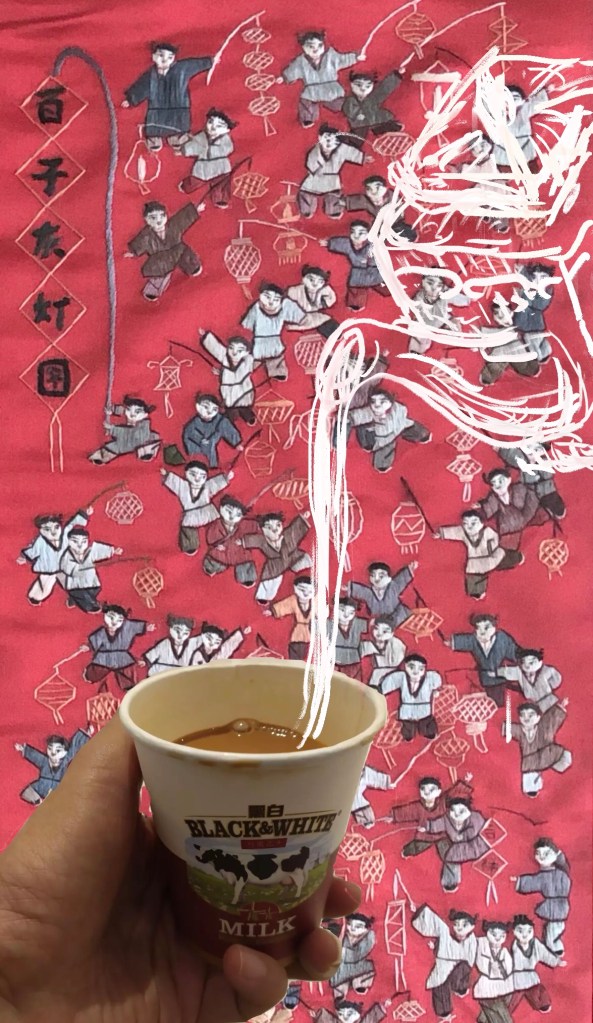
FINISHED WORK
METHOD
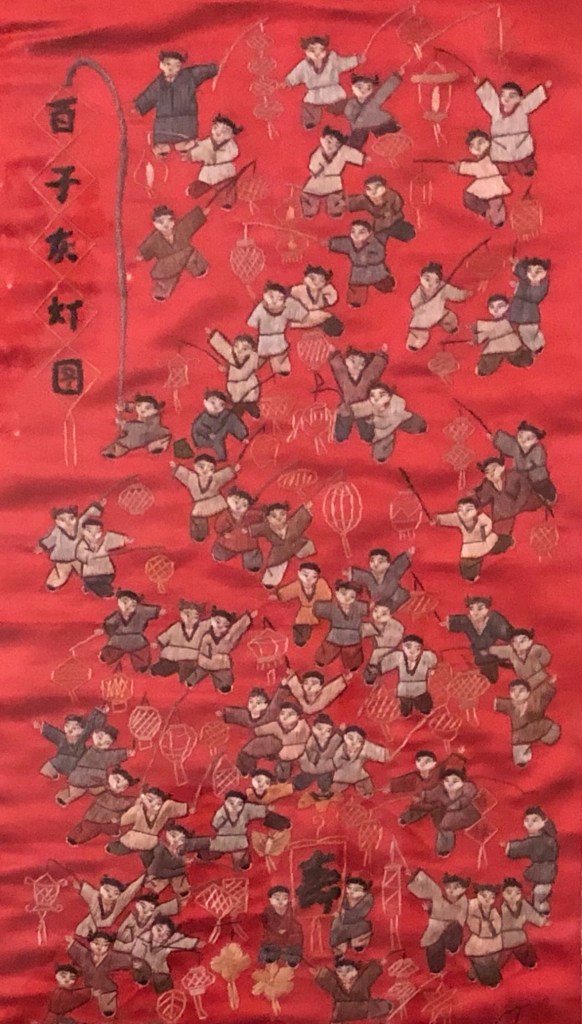
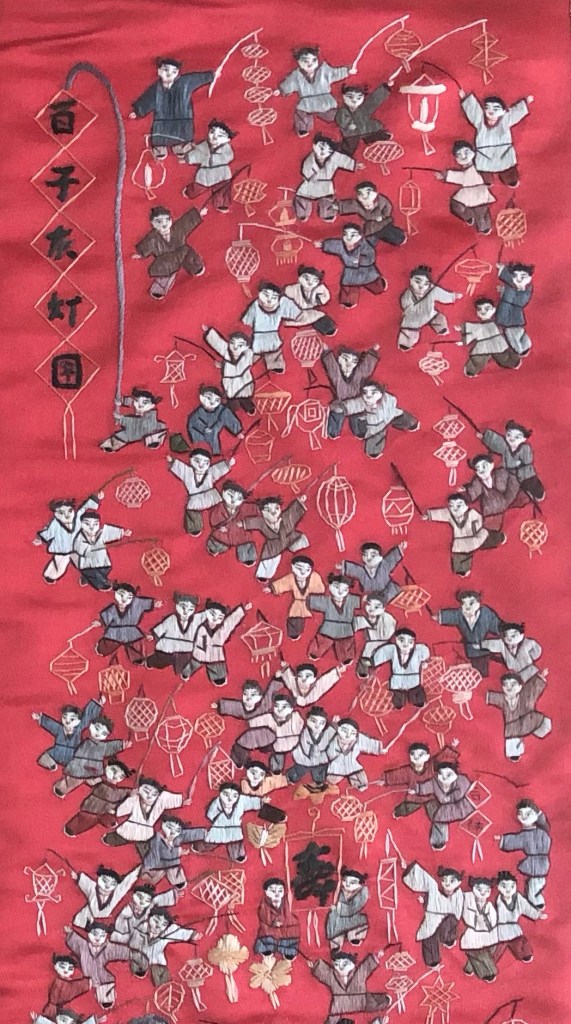
I wanted a vibrant image to use as background on the digital canvas for this piece. I have at my home a piece of Chinese tapestry that my brother gave me many years ago. It’s framed and hangs in my lounge. I took a photo of it and decided to use that as the background.
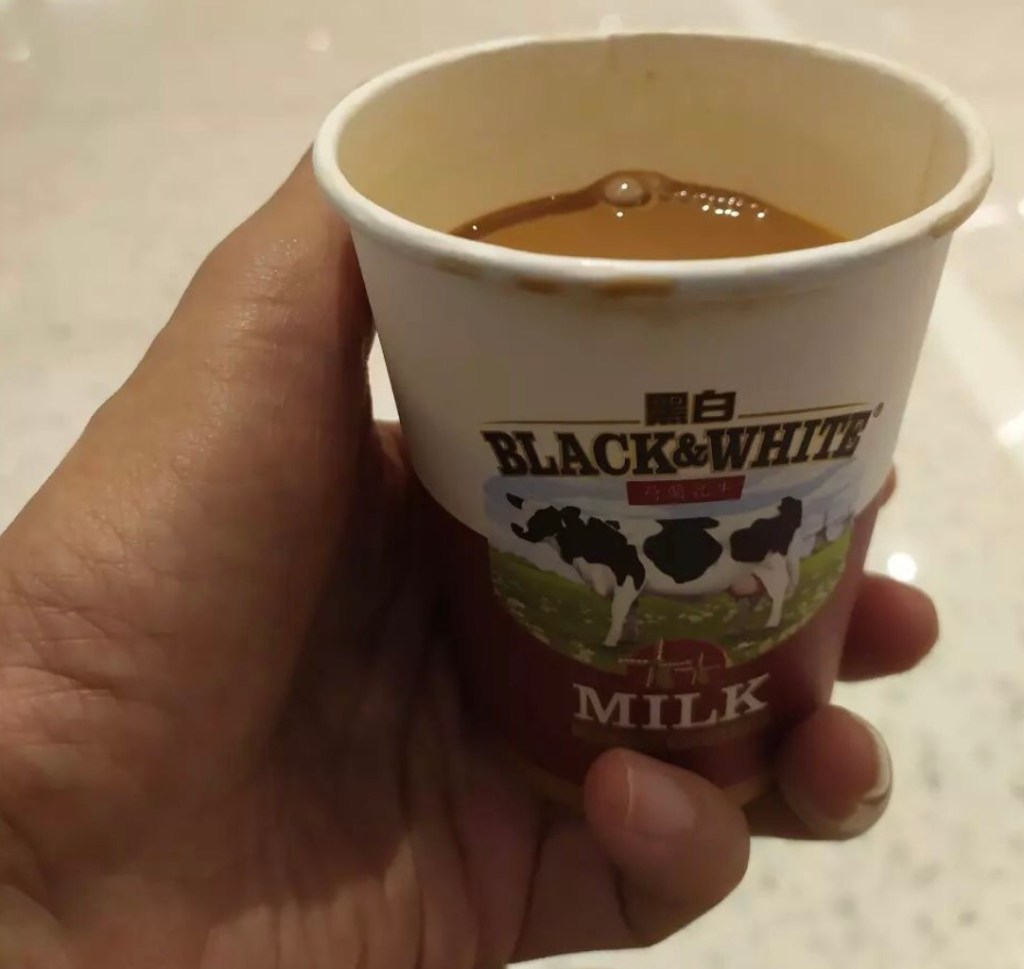
This is the image cut from my brother’s Instagram post with him holding a cup of tea that was a free giveaway from a shop and the was in the comment of his post.
I wanted to make a composite where there’s a tea pot topping up his cup of tea because if I were there then I would pour him a cup of tea.
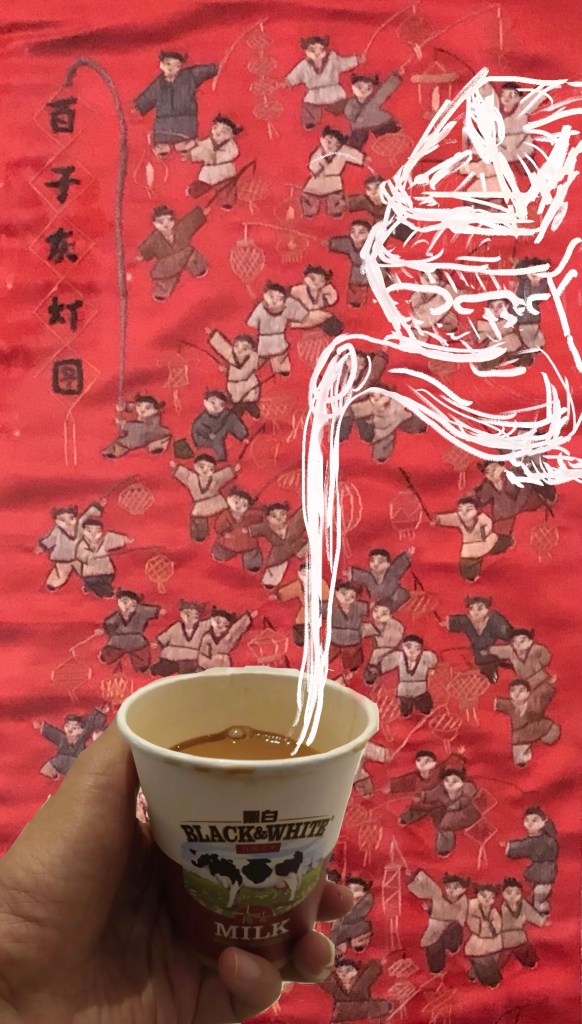
First attempt using Procreate. The tea pot was too flat so I wasn’t happy with this:
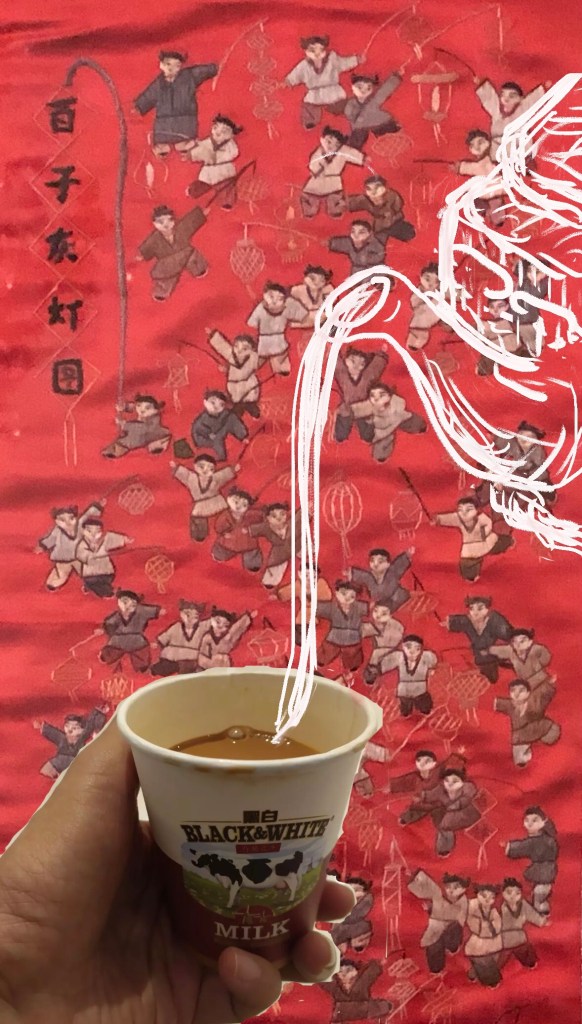
Second attempt with Procreate with a better angle for the teapot for pouring:
I was not happy with the background image so took another photo with the tapestry in day light. I was happier with this image:
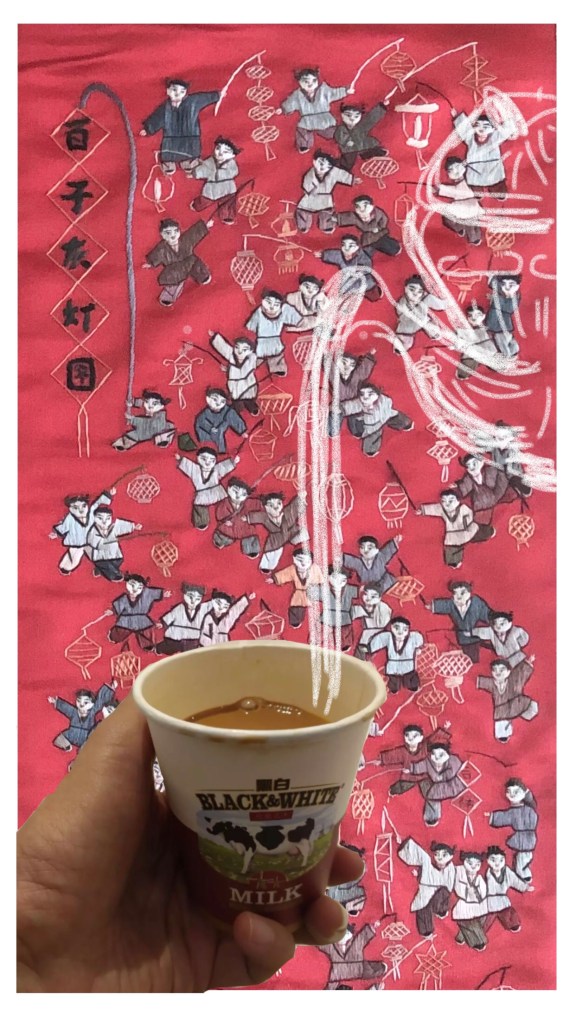
Since I purchased the Adobe Suite using my student discount from UAL, I tried for the first time using Adobe Fresco. Below was the first attempt, I wasn’t happy with the lightness of the brush stroke using ‘charcoal’ as the medium:
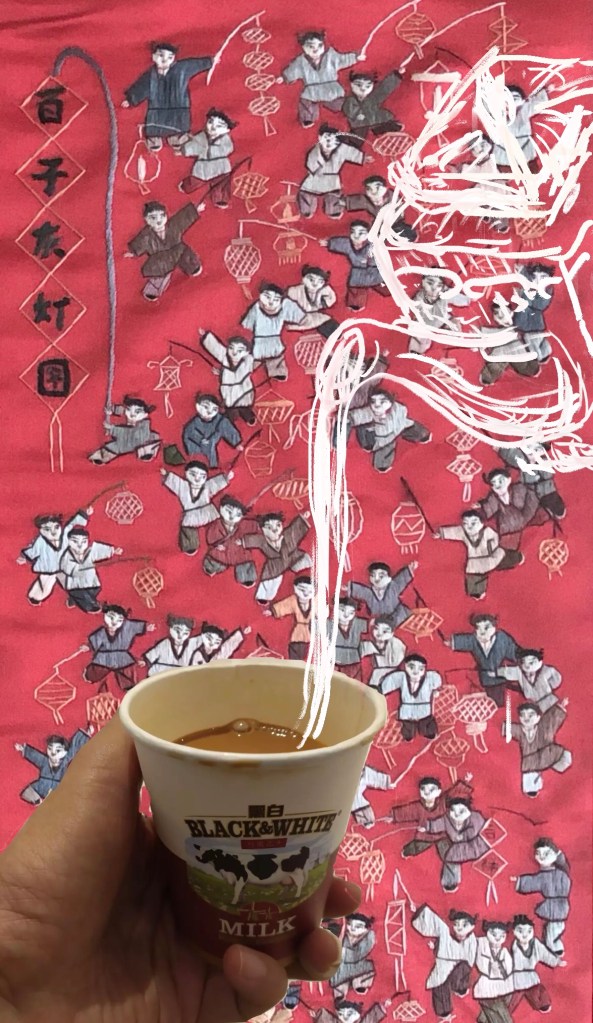
I played with the different setting for the brush selected and I was happy with this final version:
–
REFLECTIONS
Out of the two digital tools I used, I was fairly happy with Procreate and I would still be happy to use it on the go, on my iPhone or iPad. However, I really like Adobe Fresco and prefer that as a digital painting tool. I like Fresco because I use it on my MS Surface Pro with a MS stylus and the response and control of that combination is excellent. The software is very flexible and intuitive to use. Procreate is even easier to use, but I feel even the Apple stylus (I borrowed one to try) didn’t give the control that the MS Stylus achieved for me. Also, since I do not own an Apple stylus, I am very happy to stay with my MS set up. I want to experiment a lot more with the tool in order to be competent with it.
I struggled to reflect on my feelings about this piece. I didn’t think too much while making the piece because my focus was on mastering the new digital tools. However, writing this blog has been a challenge for me because of the feeling of nostalgia and the sense of lost time. It took me several attempts to get this far in writing and I don’t think I’m ready to examine that too deeply yet. I hope I’ll be able to do that over time and I hope my art practice can help me with that journey of rediscovery.
LEARNING
The technical learning was about comparing the two digital drawing tools. I preferred Adobe Fresco and will continue to experiment. I plan to do a more ambitious piece of digital art next.
I have a long way to go in delving into my memory to develop my narrative. There is a lot of content buried and I will slowly dig through like an archaeologist – this was discussed with my tutor at the recent tutorial.
NEXT STEPS
As an immediate next step, I want to create another digital painting using Adobe Fresco on my MS Surface Pro with the MS Stylus.
 elizarawlings